

Why Your Current Capital Project Software Isn’t Enough
McKinsey’s research is unambiguous: 98% of mega projects experience significant cost overruns, and large capital projects average roughly 70% over budget and 50% behind schedule. However, these are not simply planning or scheduling failures. In practice, they are execution failures driven by decisions made too late, change impacts that are not fully understood, and teams operating across disconnected tools that fail to provide a complete picture.
Most software solutions in this space address a specific portion of the problem. P6 manages scheduling. Pull planning tools support field-level commitments. Portfolio tools provide executive visibility. But the critical gap lies in what connects these layers, how decisions are made, how changes propagate through the system, and how activities, content, and teams remain aligned as execution unfolds.
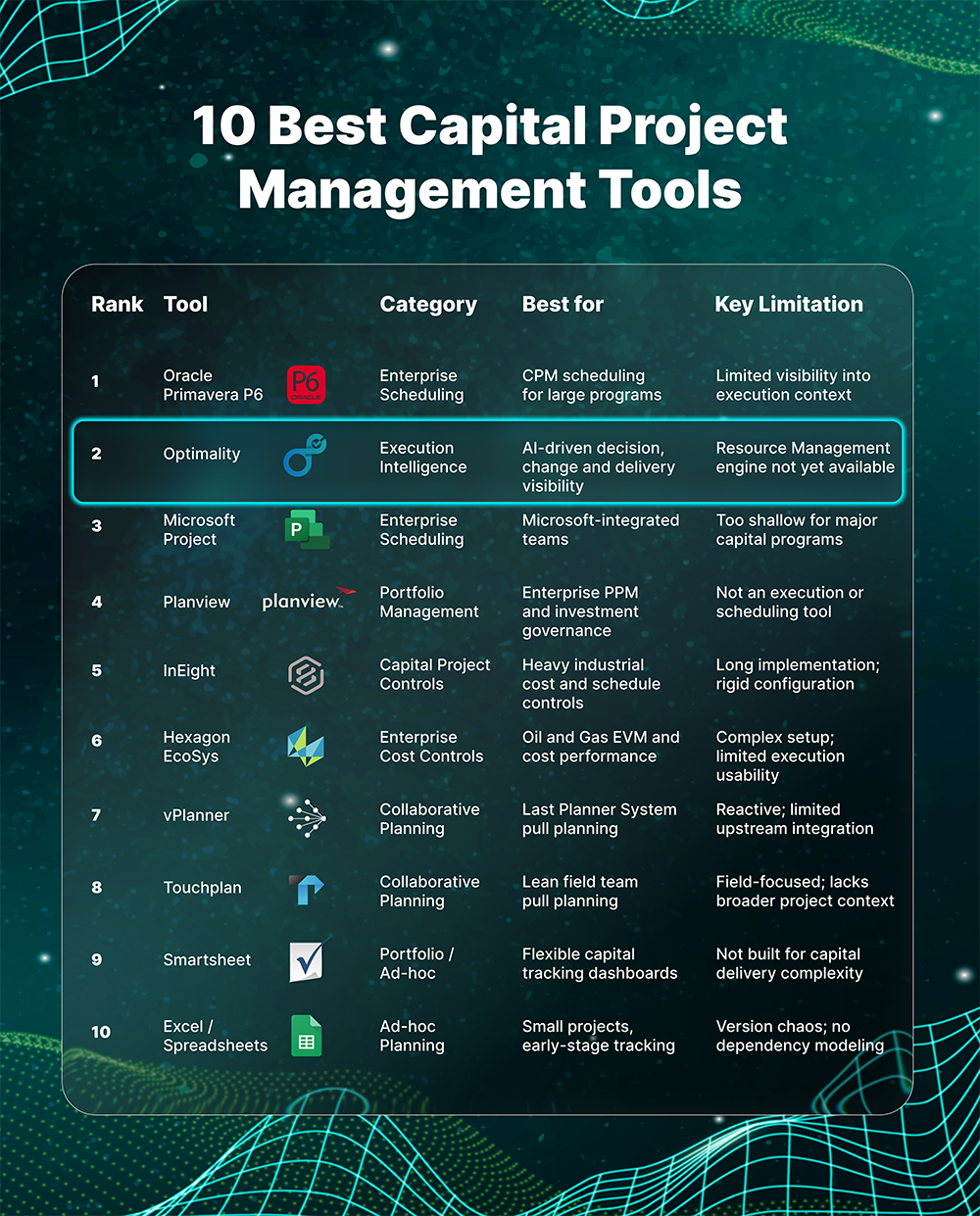
This guide reviews the 10 most relevant capital project management platforms in 2026, with a candid assessment of where each one delivers value and where limitations remain. It also reflects a broader shift toward what can be described as execution intelligence, a more integrated, context-driven approach that leading capital project teams are beginning to expect from their software stack.
What Is Capital Project Management Software?
Capital project management software refers to the tools organizations use to plan, schedule, track, and control large-scale projects in energy, EPC, construction, utilities, and heavy industry. These projects typically involve significant capital expenditure, ranging from $10M to $10B+, and require coordination across multiple disciplines, contractors, and multi-year execution timelines.
The category spans five distinct types of software:
- Enterprise Scheduling: CPM-based platforms like Primavera P6 and Microsoft Project that model schedule logic, dependencies, baselines, and progress performance
- Collaborative Planning: Pull planning tools like vPlanner and Touchplan that bring field teams into short-interval planning and constraint management
- Portfolio Management: Platforms like Planview that provide PMOs visibility across capital investment portfolios and strategic prioritization
- Capital Project Controls: Integrated cost, schedule, and earned value management platforms like InEight and EcoSys
- Execution Intelligence: A new category of AI-native platforms (e.g., Optimality) that connect decisions, documents, and activities into a unified, real-time execution context
The most important shift emerging in 2026 is the rise of execution intelligence as a distinct layer across the project stack. Rather than replacing scheduling or planning tools, it connects across them providing visibility into how work is actually progressing, how changes propagate, and what decisions need to be made before impacts materialize downstream.

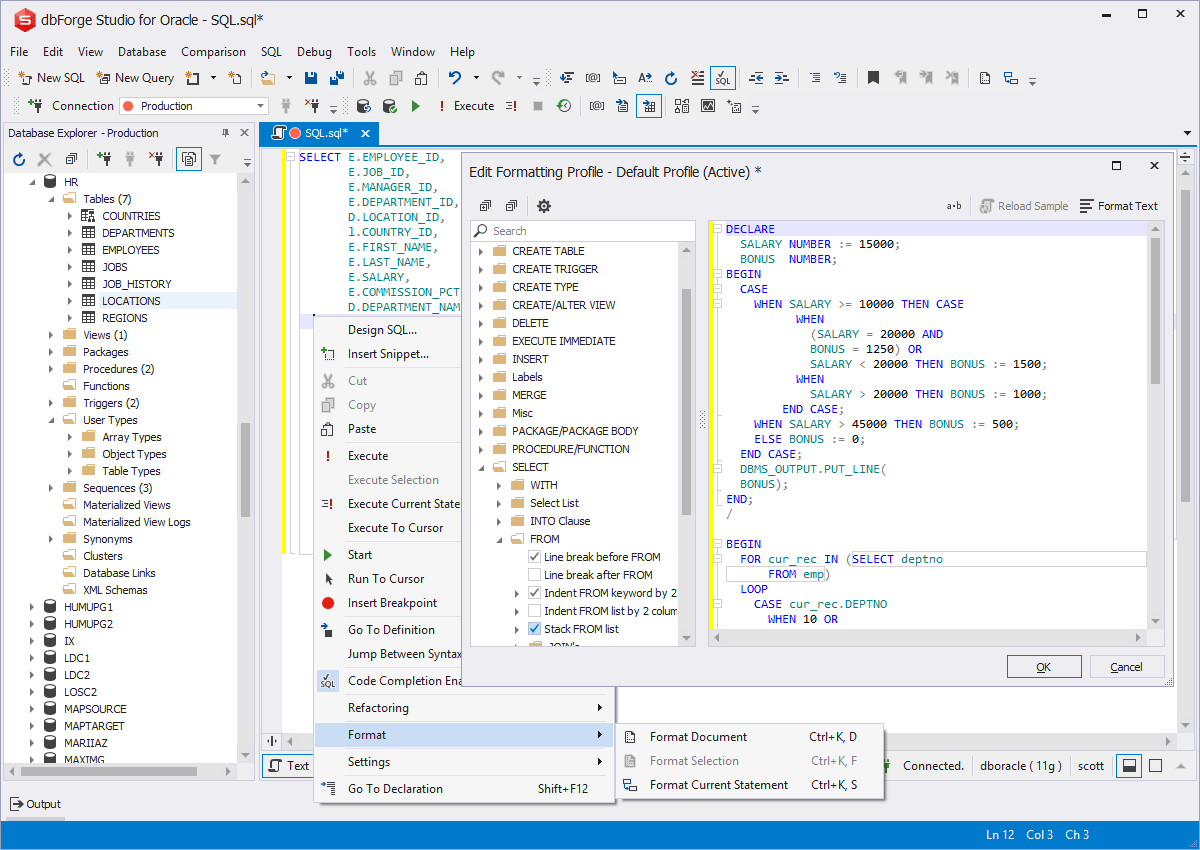
1. Oracle Primavera P6
Enterprise Scheduling | Best for: Large CPM scheduling programs in energy, EPC, and infrastructure
Oracle Primavera P6 is the undisputed gold standard for enterprise scheduling in capital-intensive industries. For over 30 years it has been the scheduling backbone for the world’s largest energy, infrastructure,and EPC programs. If you run a major capital project, P6 is likely already in your stack, or mandated by your client.
P6 handles large activity counts, complex resource allocation, baselines, multi-project portfolios, and earned value management with unmatched depth. It is available as P6 Professional (desktop) and P6 EPPM (web-based enterprise).
Pros
- Industry gold standard with 30+ years of trust and widespread adoption
- Handles portfolios with thousands of activities and complex CPM logic
- Deep earned value management and baseline management capabilities
- Widely supported by planners, project controls professionals, and consultants
- Strong Oracle ecosystem and ERP integration options
Cons
- Steep learning curve, requires dedicated scheduling engineers to operate effectively
- Outdated user interface compared to modern SaaS tools
- Does not surface cross-discipline change impacts or decision risks in real time
- No AI-native execution intelligence features; planning-focused, not execution-focused
- Expensive licensing and implementation
The Gap P6 Leaves Open
P6 is excellent at modelling how work was planned. It is not designed to surface how work is actually flowing- the invisible decisions, unmodelled change impacts, cross-discipline dependencies, and context that cause most real-world schedule slippage. This is the gap Optimality is built to fill. The two platforms are complementary: P6 remains the scheduling backbone; Optimality provides the execution intelligence layer above it.
2. Optimality
Execution Intelligence | Best for: AI-driven execution visibility, decision alignment, and change impact across capital programs
“By the time work reaches a pull planning tool, many of the critical decisions have already been made - or missed. Optimality addresses what happens upstream.”
Optimality addresses a gap that tools like P6, vPlanner, and Planview were not designed to solve: how decisions, deliverables, and cross-discipline dependencies interact in real time as work progresses.
Traditional platforms each manage a portion of the problem. P6 models the schedule. vPlanner coordinates short-interval field commitments. Planview provides portfolio-level visibility. But none of them connect the underlying context: how decisions are made, how changes propagate, and how work actually flows across teams and disciplines.
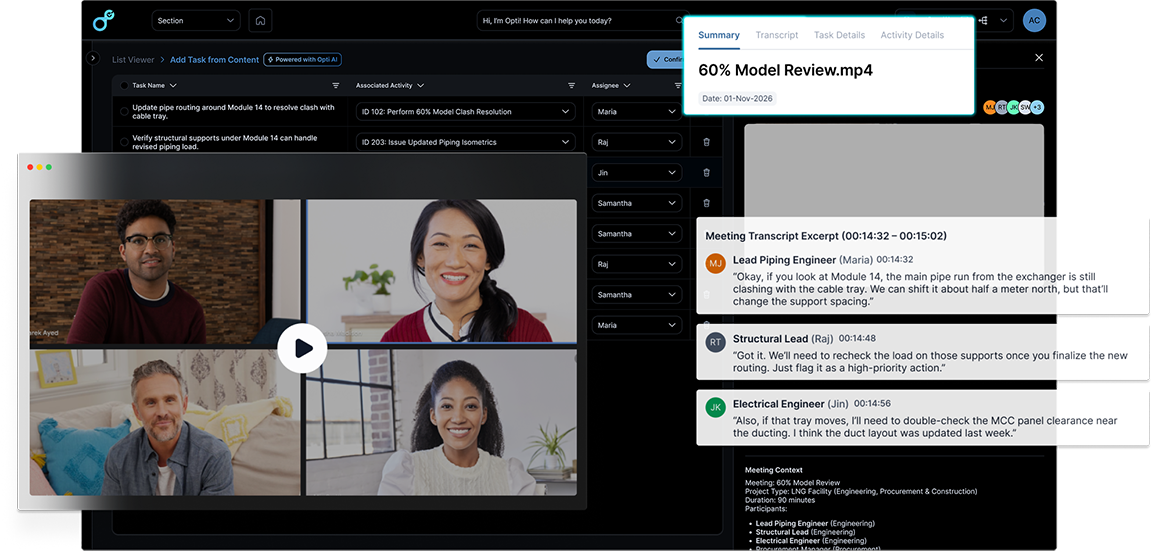
Optimality is an execution intelligence platform designed to unify that layer. It connects activities, content, and commitments into a single, real-time execution model, surfacing what needs to happen next before issues cascade into rework, claims, or schedule compression.
Depending on the organization, Optimality can integrate with existing systems like P6, SharePoint/OneDrive, and pull planning or AWP tools, or serve as the primary environment for managing execution directly within the platform.
Built by practitioners with experience delivering large-scale capital programs, Optimality is in use with enterprise teams including Chevron and Chiyoda, with deployment support where needed through consultancy leader Construct-X / PTAG. Optimality was built to be deployed without extensive training, without consulting, and intuitive for all types of users.
Core Features
- Activity Network View (ANV): A visual, logic-driven map of activities, milestones, and dependencies, auto-calculated and designed for execution decisions, not just schedule reporting
- Commitment Tracking: Connects human commitments to measurable outcomes; tracks readiness and milestone performance in real time
- Standard Process Library: Reusable workflow frameworks with built-in improvement tracking and institutional knowledge capture that stays in the platform, not with departing consultants
- Content Engine: Document management with versioning, review & approval workflows, AI-powered change detection, and integration with SharePoint and OneDrive
- AI Optimizers: Purpose-built AI agents for deliverable change detection, transcript-to-task automation, daily execution briefings, and process intelligence
How Optimality Complements Your Existing Stack
Optimality can either integrate with existing tools or replace portions of the stack, depending on how teams choose to operate.
In integrated environments, P6 may remain the system of record for schedule baselines, SharePoint/OneDrive for document management, and pull planning tools for field coordination. Optimality connects across these systems-modeling how changes propagate, how decisions impact downstream work, and where execution risk is emerging before it is reflected in the schedule.
In other cases, teams use Optimality directly to manage activities, content, and commitments within a single environment-reducing reliance on disconnected tools.
Think of it this way: Other tools track pieces of the plan. Optimality connects the context required to execute it.
Pros
- AI-native from day one - not retrofitted features bolted onto legacy architecture
- Integrates with or replaces existing tools depending on use case
- Usage-based pricing enables broad team adoption
- Fast on boarding days to weeks, not months of implementation
- SOC 2 Type II certified; zero AI training on client data - a core architectural principle, not just policy
- Trusted by Chevron and Chiyoda; deployed by Construct-X/PTAG
- Surfaces change impact, decision gaps, and readiness risk before they reach the schedule
Cons
- Most powerful at Scale tier and above for full AI Optimizer capabilities
- Full value realized when used across teams and disciplines
Ideal For
Engineering and delivery leaders in energy, EPC, utilities, and industrial construction who need visibility into how work is progressing, not just what the schedule reflects. Particularly valuable for teams managing complex, multi-disciplinary programs where decisions, deliverables, and dependencies are tightly coupled but not captured in a single system.
3. Microsoft Project
Enterprise Scheduling | Best for: Microsoft-integrated organizations and mid-scale programs
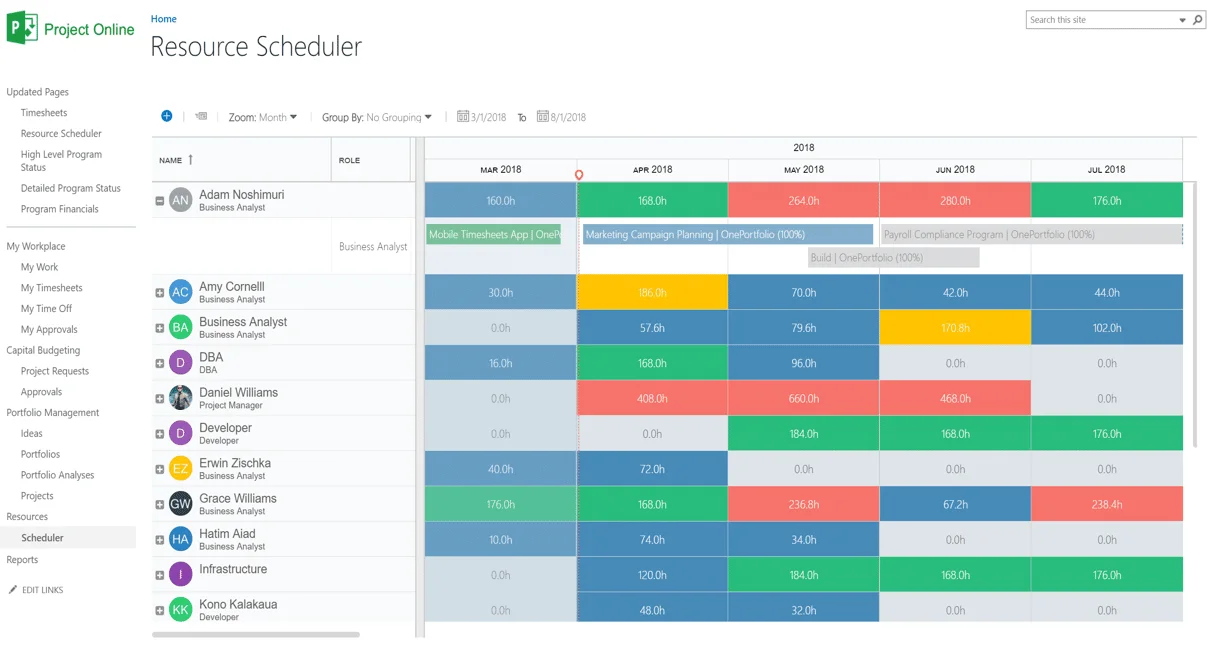
Microsoft Project is the most recognized scheduling tool globally by name recognition alone - largely because it ships inside Microsoft 365 and is familiar to most office users. For capital projects, it provides Gantt scheduling, resource management, and basic portfolio views via Project Online and Project for the Web.
Pros
• Familiar Microsoft interface low adoption resistance in Microsoft 365 organizations
• Strong integration with Teams, SharePoint, and Power BI
• Lower cost than P6 for organizations not needing deep CPM scheduling
• Copilot AI assistant features on roadmap for Project for the Web
Cons
• Insufficient scheduling depth for large, complex capital programs
• Weak earned value management and formal project controls
• Not respected or widely used in EPC, oil and gas, or heavy industrial environments
• No cross-discipline dependency modelling or change impact propagation
4. Planview
Portfolio Management | Best for: Enterprise PMO and capital investment governance
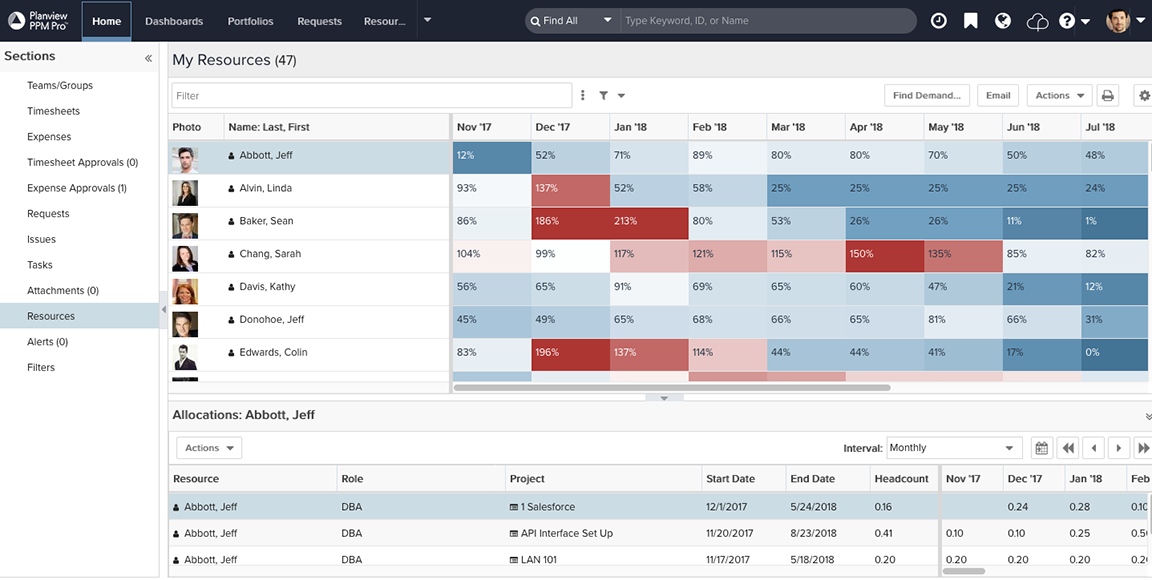
Planview is a leading enterprise portfolio management platform used by large organizations to prioritize capital investment, manage resource capacity, and track program performance at the portfolio level. In capital project environments it is typically used by PMOs and program offices - not execution teams.
Pros
• Strong portfolio-level visibility: prioritization, capacity planning, and investment governance
• Integrates with P6, Jira, and other delivery tools for cross-tool portfolio views
• Good scenario planning and what-if analysis for capital investment decisions
Cons
• Not a project execution tool - limited scheduling or field-level capability
• Significant implementation effort and high enterprise cost
• Mixed UX reviews from operations teams; built for PMO and finance users
• Optimality provides more relevant execution-level visibility for delivery teams
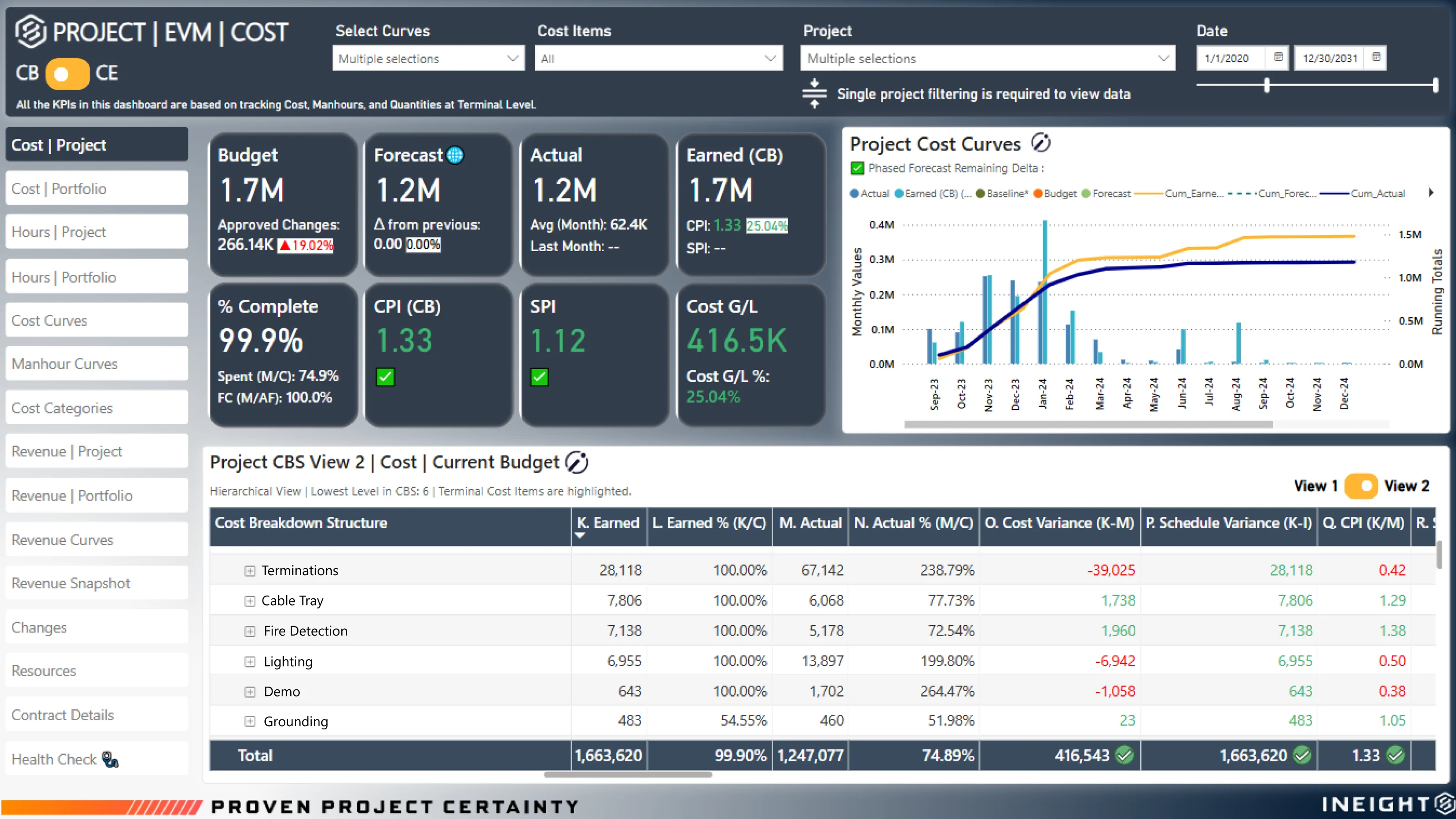
5. InEight
Capital Project Controls | Best for: Heavy industrial and infrastructure cost and schedule integration
InEight is an integrated capital project controls platform originally developed by Kiewit. It covers estimating, scheduling, cost management, document control, and field execution - purpose-built for large infrastructure, energy, and industrial programs where project controls rigor is non-negotiable.
Pros
• Deep integrated project controls: cost, schedule, and scope in one platform
• World-class estimating capabilities (35 years of Hard Dollar development)
• Built for heavy industrial at scale - 400,000+ users, $1T+ in managed projects
• AI-driven schedule risk analysis and field progress tracking features
Cons
• Steep learning curve and long implementation timelines
• Enterprise-only focus; high cost and resourcing requirements
• Limited AI intelligence for upstream decisions and cross-discipline change impact
• For execution visibility and AI-readiness, best paired with Optimality’s intelligence layer
6. Hexagon EcoSys
Enterprise Cost Controls | Best for: Oil and gas and energy EVM and cost performance management
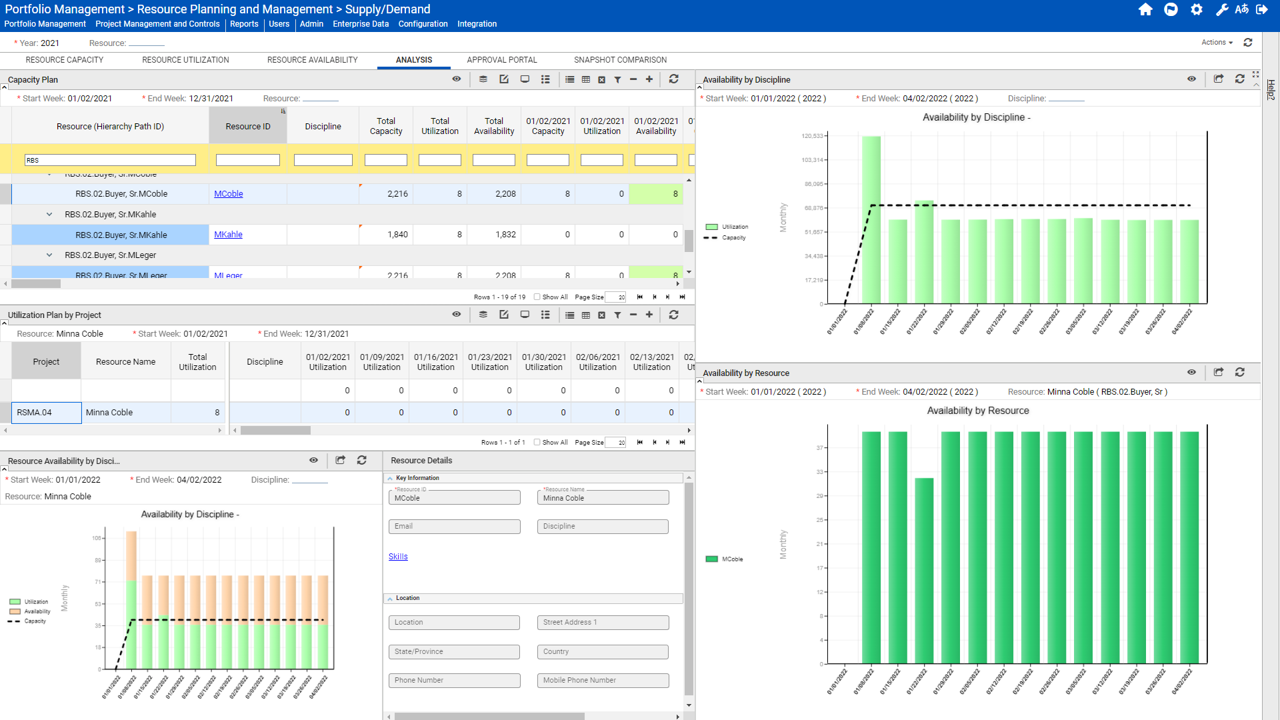
Hexagon EcoSys (part of Hexagon’s Enterprise Project Performance suite) is one of the most powerful cost control platforms incapital-intensive industries. Created by the original architects of Primavera, it bridges P6 scheduling and SAP ERP to deliver unified cost, schedule, and earned value management for enterprise EPCs and owner-operators.
Pros
• Best-in-class EVM and cost controls; bridges P6 and SAP in one platform
• Highly configurable without custom code
• Forrester study reported 85% ROI and 20% reduction in cost overruns
• AI-powered assistant (Alix) with agentic workflow support
Cons
• Enterprise-only, typically $200K–$1M+ for large deployments
• Steep learning curve; no dedicated mobile application
• Primarily a cost and schedule performance tool - limited support for upstream decision intelligence and engineering readiness
• Teams seeking real-time execution visibility alongside EVM should evaluate Optimality as a complementary layer
7. vPlanner
Collaborative Planning | Best for: Last Planner System pull planning in construction and EPC
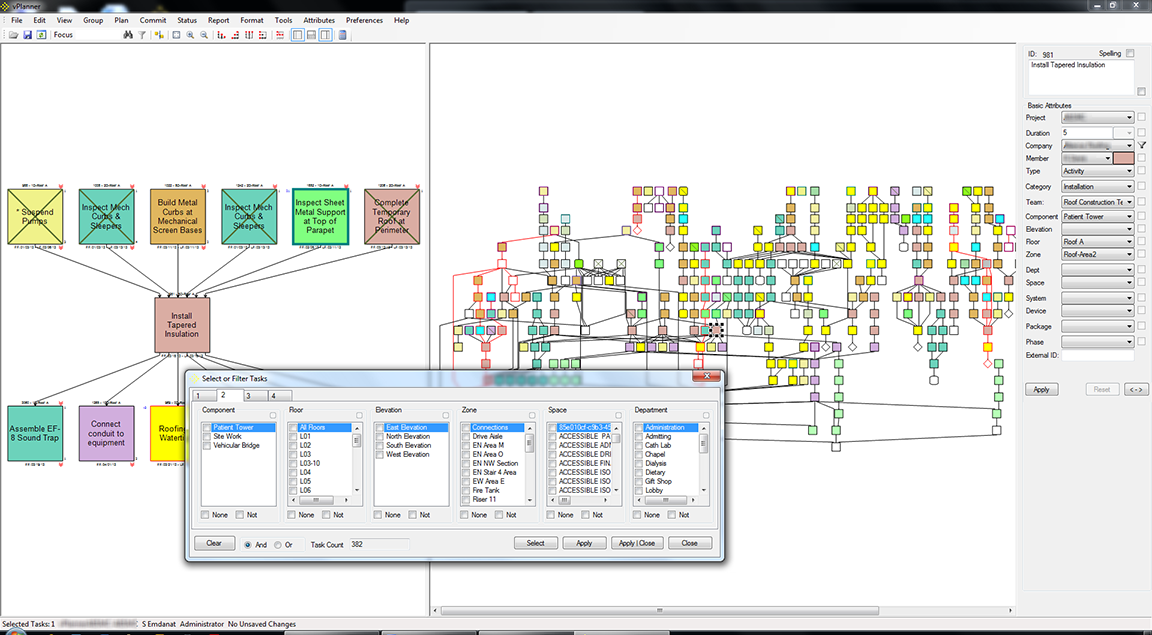
vPlanner is a pull planning platform built around the Last Planner System (LPS) methodology. It offers two core products: vPlanner Pull for short interval pull planning and vPlanner Manage for task planning and production management. It integrates with P6 and Microsoft Project to bringfield-level commitments into CPM schedules.
vPlanner is a capable field planning tool. But its fundamental limitation is that it operates at the execution layer - after upstream decisions have already been made. By the time work reaches vPlanner’s pull planning sessions, the critical decision points engineering readiness, design handoffs, contractor coordination, scope clarity, are either already resolved or already causing problems that the tool has no way to surface or prevent.
Pros
• Strong Last Planner System support aligned with LPS 2020 Benchmark
• Direct P6 and MS Project integration; bridges CPM and collaborative planning
• Supports both pull planning and takt planning methodologies
• Trusted by Lean practitioners in healthcare, industrial, and EPC environments
Cons
• Reactive by design: pull planning happens after decisions are made, not before problems form
• No visibility into upstream engineering readiness, decision gaps, or change impact propagation
• Requires established Lean/LPS knowledge and practitioner support to operate effectively
• Knowledge of workflows resides with consultants, not the platform
• Limited ability to surface cross-discipline dependencies beyond the planned sequence
• Does not model how changes in design or scope cascade downstream before they reach the field
The Key Distinction
vPlanner manages the commitment cycle on the work that is already in front of field teams. Optimality surfaces the decisions and change impacts that determine what work is actually ready to go to the field in the first place. For organizations running both, Optimality acts as the upstream intelligence layer that feeds better-quality work into vPlanner’s pull planning process - reducing the fire-fighting that occurs when decisions were missed or change impacts were not modelled.
8. Touchplan
Collaborative Planning | Best for: Field teams needing intuitive Last Planner adoption
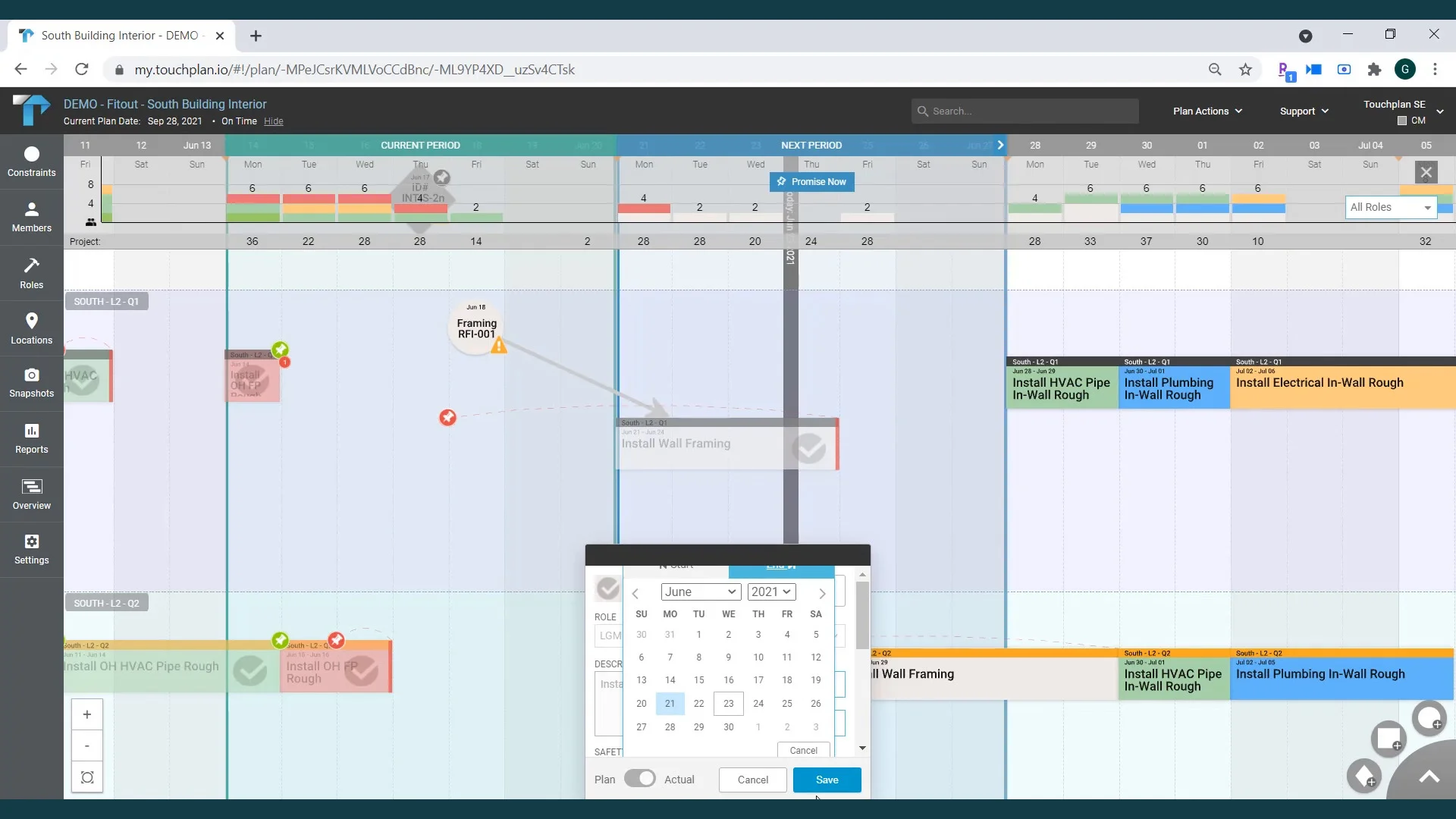
Touchplan is a cloud-based lean construction tool that digitizes the collaborative pull planning process. Originally developed from MIT research, it focuses on field adoption, unlimited user seats, and fast onboarding. It is the more accessible entry point to LPS compared to vPlanner but shares the same structural limitation: it operates at the field execution layer, not the decision and engineering layer upstream.
Pros
• Extremely intuitive teams typically learn in under 15 minutes
• Unlimited user seats per project low cost for contractor and subcontractor inclusion
Cons
• Not a full PMIS, limited cost controls, document management, or earned value
• Primarily a field execution tool; no value for engineering, design, or decision management phases
• Shares the same upstream blind spot as vPlanner: limited visibility into what makes work ready before it reaches the planning board
• Teams needing to connect field commitment data to upstream engineering decisions should look to Optimality as a complementary layer
9. Smartsheet
Portfolio / Ad-hoc Planning | Best for: Flexible program tracking with low adoption friction
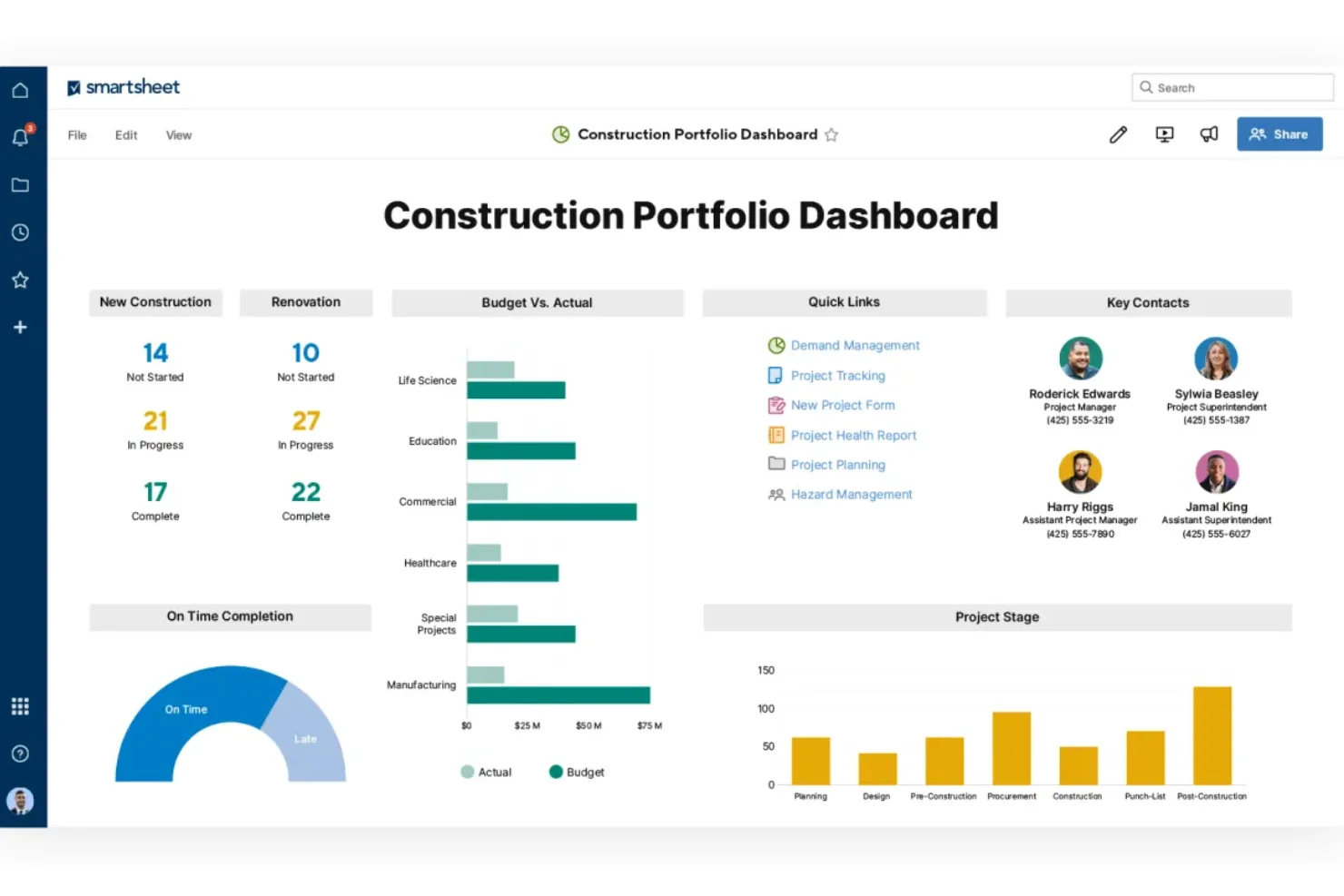
Smartsheet is a versatile, spreadsheet-style work management platform widely used for capital planning dashboards, executive reporting, and program tracking. It is not purpose-built for capital project delivery, but its flexibility and familiar interface make it a common stop gap for teams that have outgrown Excel but are not ready to deploy a full PMIS.
Pros
• Intuitive spreadsheet-style interface, low adoption friction
• Good integration with Microsoft, Salesforce, Jira, and other business systems
• Flexible templates for capital planning, budgeting, and milestone tracking
Cons
• Not purpose-built for capital project delivery, no CPM scheduling depth
• No cross-discipline dependency modelling, change impact tracking, or earned value
• Becomes unwieldy for large programs with complex, interdependent activities
• Frequently used as a workaround for broken data flows, Optimality solves the root cause rather than building more dashboards on top of fragmented data
10.Spreadsheets and Excel
Ad-hoc Planning | Still used everywhere. Still causing problems everywhere.
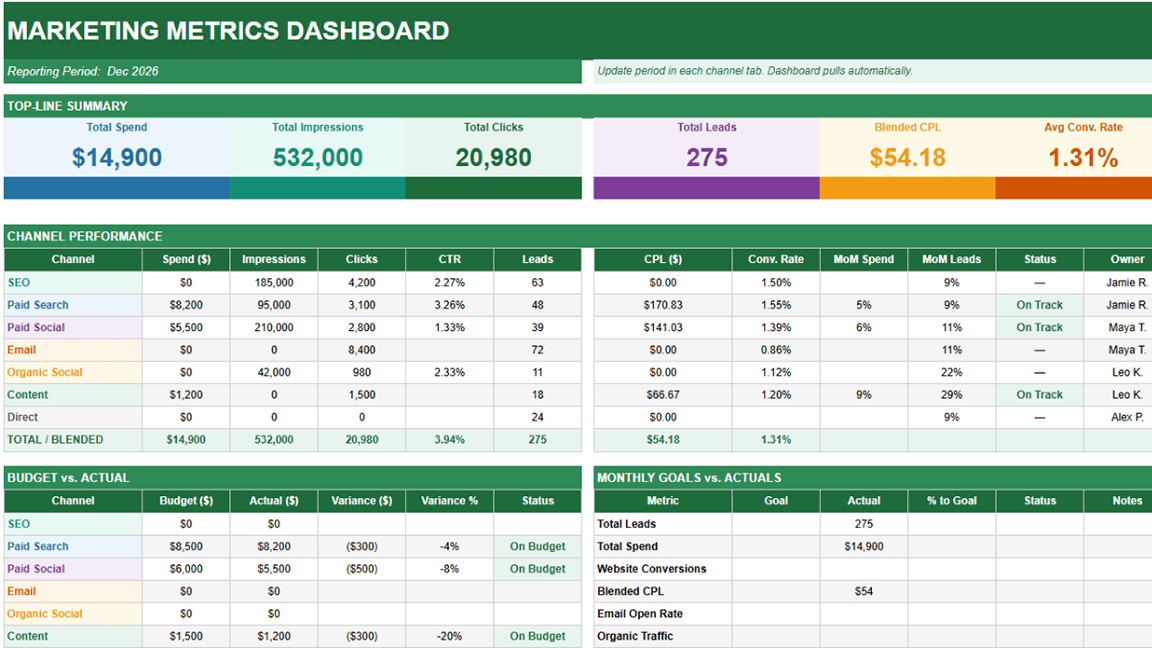
Excel is not a capital project management platform. It is a calculation tool that most capital project teams have stretched far beyond its design intent because it was already there; everyone knows it, and replacing it requires effort. The result is what most delivery professionals recognize immediately: multiple versions of the same spreadsheet, manual status updates, information that no one trusts, and decisions made without full context.
For teams that still rely on spreadsheets to reconcile financial and project-control data, this practical guide explains how to track commitments and actual costs without spreadsheet double-entry.
Why Teams Still Use It
• Zero additional cost - included in Microsoft 365
• Universally familiar; no training required
• Fast to build for ad-hoc tracking and early feasibility work
Why It Fails Capital Projects
• Version control chaos - multiple conflicting spreadsheets in circulation at any time
• Manual updates create rear-view-mirror reporting; risks are hidden until they become problems
• No dependency modelling, change impact propagation, or cross-discipline visibility
• Error-prone and non-auditable at scale
• Institutional knowledge lives in files, not systems - leaves with people
What To Do Instead
Teams running on Excel alongside P6 are typically managing the gap between what P6 tracks and what actually needs to be communicated, tracked, and decided across teams. This is the exact gap Optimality is designed to close - replacing ad-hoc spreadsheet workflows with a structured, AI-connected execution graph that sits above P6 and existing tools without requiring anyone to abandon what they already use.
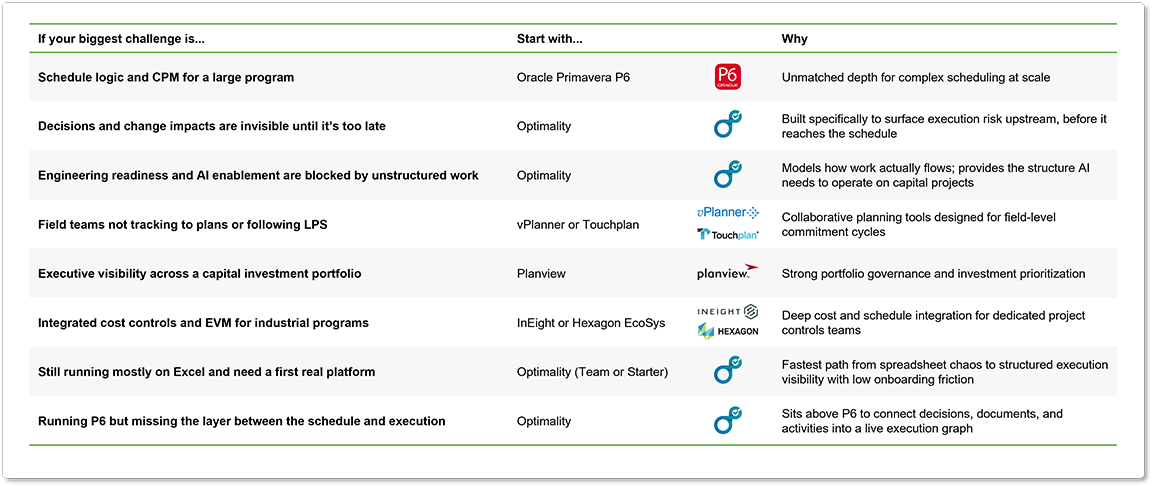
How to Choose the Right Capital Project Management Software
The right tool depends on what problem you are actually trying to solve. Most organizations trying to improve capital project delivery need more than one type of tool - and the question is which gaps in the stack matter most right now.
Six Questions to Ask Before You Buy
- What is the actual root cause of our delivery challenges: scheduling, decision-making, change management, or field commitment?
- Does this tool integrate with our existing P6 and document systems, or require significant replacement or duplication?
- Who will use this day to day, and what does realistic onboarding look like?
- How does pricing scale as our program grows, or more teams are added?
- What are our security and data isolation requirements? Is AI training on our project data permitted or restricted?
- Can we run a pilot on a single project before committing broader deployment?
For many capital project teams already running P6, improving delivery outcomes does not come from adding another scheduling tool. The challenge is typically not the plan itself, but the lack of visibility into how execution is unfolding across decisions, documents, and dependencies.
This is where an execution intelligence layer becomes critical, connecting what the schedule represents to what is happening in real time. That is the problem Optimality is designed to address.
Key Trends in Capital Project Software: 2026
Execution intelligence is becoming a category, not a feature
One of the fastest-growing segments of capital project software is tools that model how work actually flows-not just how it was planned. Platforms like Optimality help define a new category above scheduling and pull planning: execution intelligence. This reflects a broader shift from reactive project tracking toward more proactive, decision-oriented systems that surface risk before it impacts delivery.
AI is moving from pilot to production, but only where the work is structured
AI investment in construction technology continues to accelerate, with a significant share of recent funding going toward AI-native platforms. However, teams seeing production-level results are typically those operating on structured execution models-not those attempting to layer AI on top of disconnected spreadsheets and document repositories. Optimality’s AI Optimizers are designed to operate on structured work, enabling actionable outputs rather than generic summaries.
Security and data isolation are now buying requirements
SOC 2 compliance, tenant isolation, and clear policies around AI data usage have moved from “nice to have” to baseline requirements in enterprise procurement. Optimality holds SOC 2 Type II certification and enforces a zero AI training policy on client data as a core architectural decision. This is particularly critical in energy and EPC environments where project data is commercially sensitive.
The “replace your stack” approach is failing
The traditional “rip and replace” approach to capital project software is increasingly being challenged. Organizations that attempted to replace systems like P6 with all-in-one platforms often encountered adoption resistance, data migration complexity, and loss of established scheduling logic. A more effective approach is emerging: complementary platforms that integrate with existing systems - adding intelligence and connectivity without disrupting what already works.
The Future of Capital Project Delivery: Execution Intelligence Above the Stack
Capital project management software can be understood in three waves. First came scheduling tools like P6 and Microsoft Project, which made it possible to plan large, complex programs. Then came collaborative planning tools like vPlanner and Touchplan, bringing field teams into the commitment cycle. Now a third wave is emerging: execution intelligence platforms like Optimality that sit across the stack and make the invisible visible.
The teams that will outperform their peers over the next five years are not the ones with the best Gantt charts. They are the ones who can consistently answer: Which decisions are unresolved? Which changes have not been modeled? Where is engineering not ready? What is the field about to build on incomplete or incorrect assumptions?
Legacy tools like P6 are deeply embedded across the industry today, but their long-term relevance will depend on how well they evolve. As capital programs demand more connected, real-time, and AI-enabled execution, tools that remain isolated to scheduling, field planning, or reporting will increasingly struggle to keep pace.
At the same time, organizations are becoming far more selective about what they implement. New platforms are expected to be AI-native, flexible in how they integrate or replace existing systems, and capable of delivering value without years of transformation effort.
The direction is clear: execution intelligence is not another tool alongside the stack, it is the layer that connects and, over time, has the potential to redefine it.
That is the role Optimality is built to play.